
🎯 Git Internals - Introduction
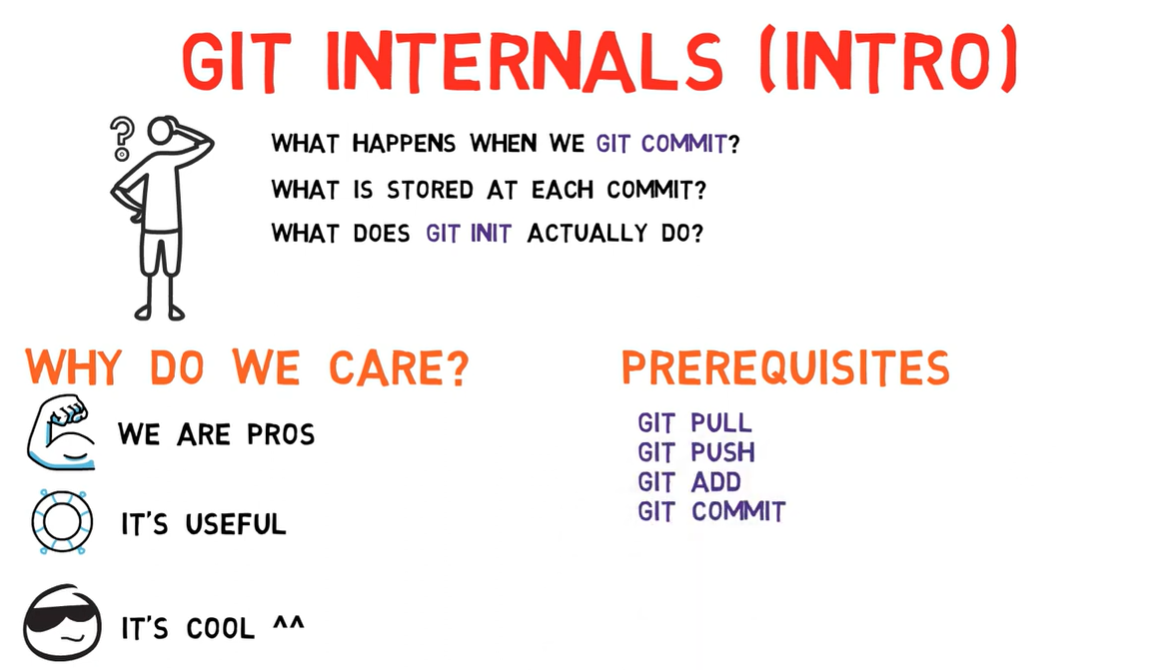
🔍 Why Learn Git Internals?
Understanding what happens under the hood transforms you from a Git user into a Git master.
📺 Video Reference
| Resource | Link |
|---|---|
| 🎬 Video | Git Internals - Intro |
| 📝 Playlist | Complete Git Internals Series |
| 📄 Transcript | 01-intro.txt |
🤔 The Big Questions
"Many of us use Git daily, but how many truly understand what happens under the hood?"
Questions This Series Will Answer
| Question | Short Answer | Deep Dive |
|---|---|---|
What happens during git commit? | A commit object is created pointing to a tree | Lesson 02 |
| Is a diff stored between commits? | No! Entire snapshots, but with deduplication | Lesson 02 |
What does git init actually create? | .git folder with objects, refs, HEAD | Lesson 04a |
| How do branches work? | They're just named pointers to commits | Lesson 03 |
💡 Why Does Understanding Git Internals Matter?
🎓 Professional Growth
As professionals, we should understand the tools we use daily
🛠️ Problem Solving
Resolve merge conflicts, complex rebases, and recover from mistakes
🧠 Deep Understanding
Know exactly what's happening, not just which commands to run
Real-World Scenarios Where This Knowledge Helps
🗺️ Series Roadmap
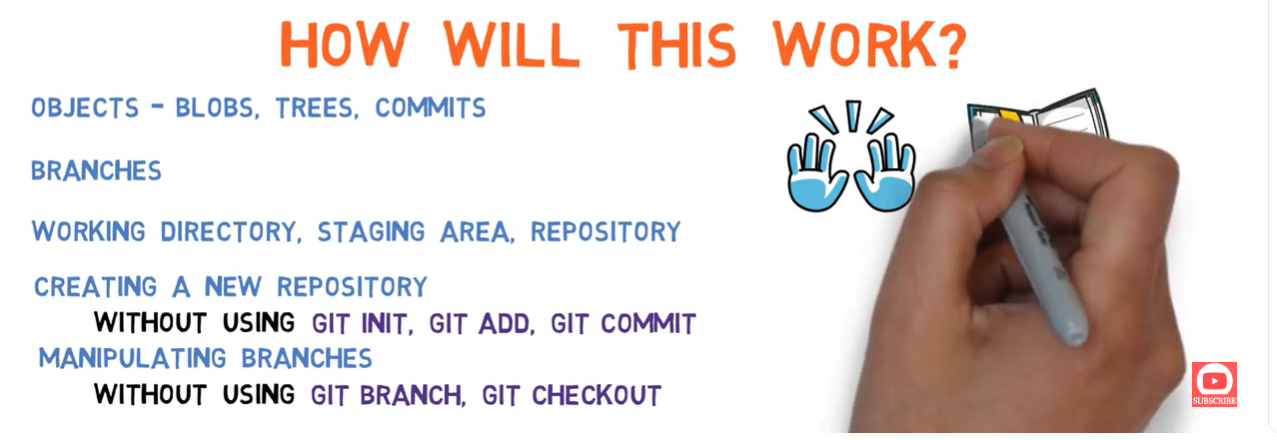
📚 What We'll Cover
Core Concepts Overview
| Topic | Description | Key Insight |
|---|---|---|
| Blobs | Store file contents | Content-addressed (same content = same hash) |
| Trees | Directory listings | Point to blobs and other trees |
| Commits | Snapshots in time | Point to tree + parent(s) + metadata |
| Branches | Named references | Just a file containing a commit SHA |
| HEAD | Current branch pointer | File containing ref: refs/heads/<branch> |
| Index | Staging area | Binary file tracking what's staged |
The Three Areas of Git
🎯 Prerequisites
⚠️ This series is NOT for beginners
You should be comfortable with these commands before proceeding:
Commands You Should Know
# Repository operations
git init              # Initialize a repository
git clone             # Clone a repository

# Daily workflow
git status            # Check current state
git add <file>        # Stage changes
git commit -m "msg"   # Create a commit
git push              # Push to remote
git pull              # Pull from remote

# Branching
git branch            # List/create branches
git checkout <branch> # Switch branches
git merge <branch>    # Merge branches

# History
git log               # View commit history
git diff              # See changes
Self-Assessment Quiz
| Question | If "No", do this first |
|---|---|
| Can you create a repo and make commits? | Complete a basic Git tutorial |
| Do you understand what branches are? | Practice creating and merging branches |
| Have you resolved a merge conflict? | Try working on a team project |
| Do you know what HEAD means? | You're in the right place! 🎉 |
🧪 Lab Environment Setup
We'll use Docker for a clean, isolated environment:
# Create a persistent volume for our lab
docker volume create git-lab

# Run an Alpine container with Git
docker run -d --name git-lab \
  -v git-lab:/workspace \
  -w /workspace \
  alpine:3.19 \
  sleep infinity

# Access the lab environment
docker exec -it git-lab sh

# Install required tools
apk add --no-cache git bash curl tree
Configure Git Identity
# Set up identity (required for commits)
git config --global user.email "you@example.com"
git config --global user.name "Your Name"

# Verify setup
git config --list
Create Workspace
# Create our playground
mkdir -p /workspace/git-internals
cd /workspace/git-internals

# Verify we're ready
pwd
# /workspace/git-internals
🎬 Visual Preview
📝 Key Takeaways
After This Series, You Will:
✅ Understand exactly what git add, git commit, git checkout do internally
✅ Know how data is stored and why Git is so efficient
✅ Be able to create a repository without using git init
✅ Create commits without using git commit
✅ Create and switch branches without git branch or git checkout
✅ Debug any Git situation with confidence
🚀 What's Next?
📦 Next: Git Objects (Lesson 02)
We'll dive deep into the three fundamental Git objects: Blobs, Trees, and Commits. You'll understand how Git stores your data and why it's so efficient.
📖 Additional Resources
| Type | Resource | Description |
|---|---|---|
| 📚 Book | Pro Git - Internals | Official Git book's internals chapter |
| 🎥 Video | Brief Channel | Source of this content |
| 🔧 Tool | Git Explorer | Find the right Git command |
| 📝 Cheat Sheet | Git Cheat Sheet | Quick reference |
Ready to understand Git at the deepest level?
Let's dive in! 🏊♂️