
🌿 Git Branches - Named References to Commits
🎯 Branches Are Just Pointers!
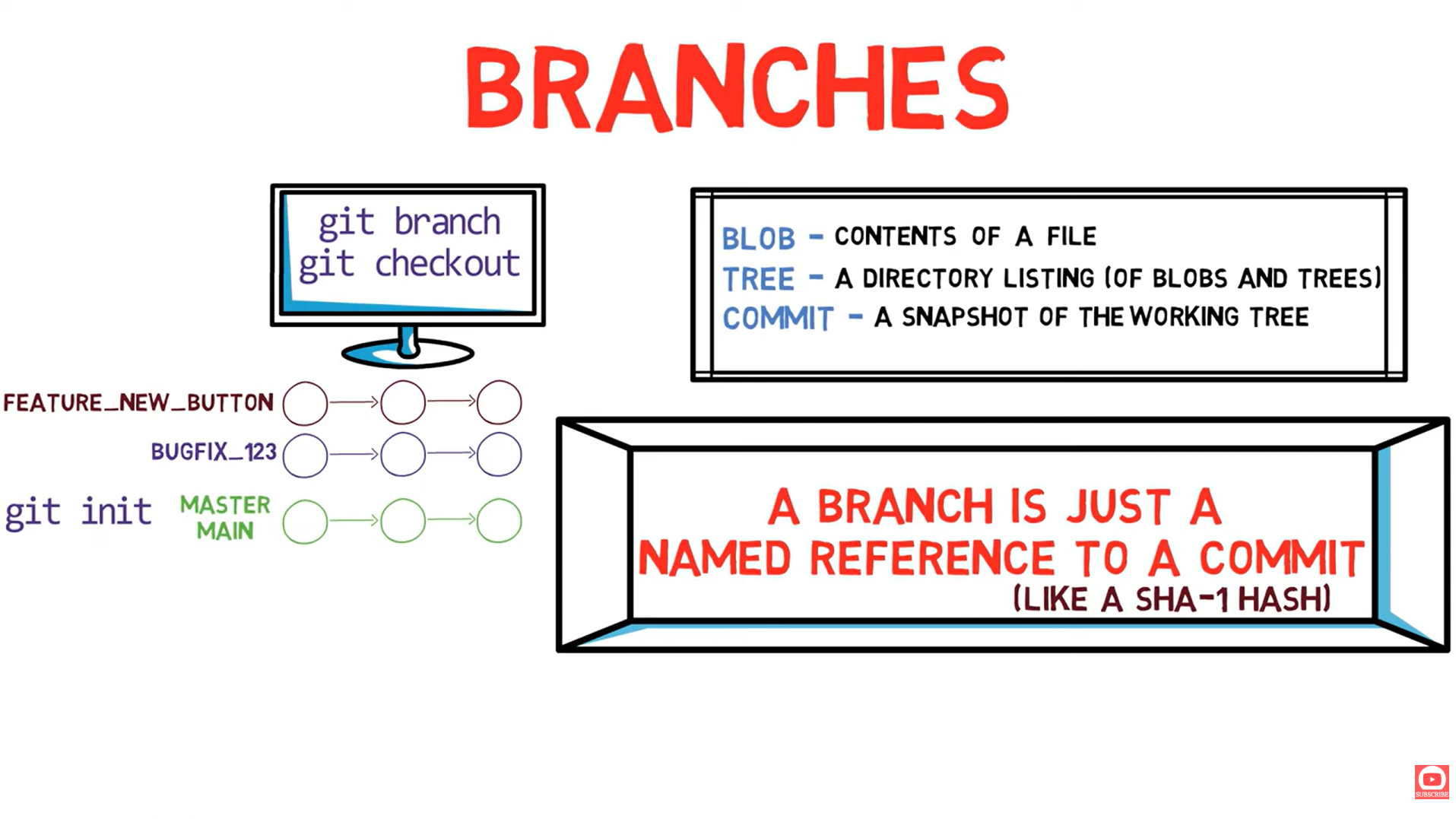
A branch is nothing more than a file containing a 40-character commit SHA. That's it!
📺 Video Reference
| Resource | Link |
|---|---|
| 🎬 Video | Git Branches |
| 📄 Transcript | 03-git-branches.txt |
🧠 What We Think Branches Are
"We usually think about branches as a sequence of changes related to each other"
We think of branches as separate lines of development...
🔍 What Branches ACTUALLY Are
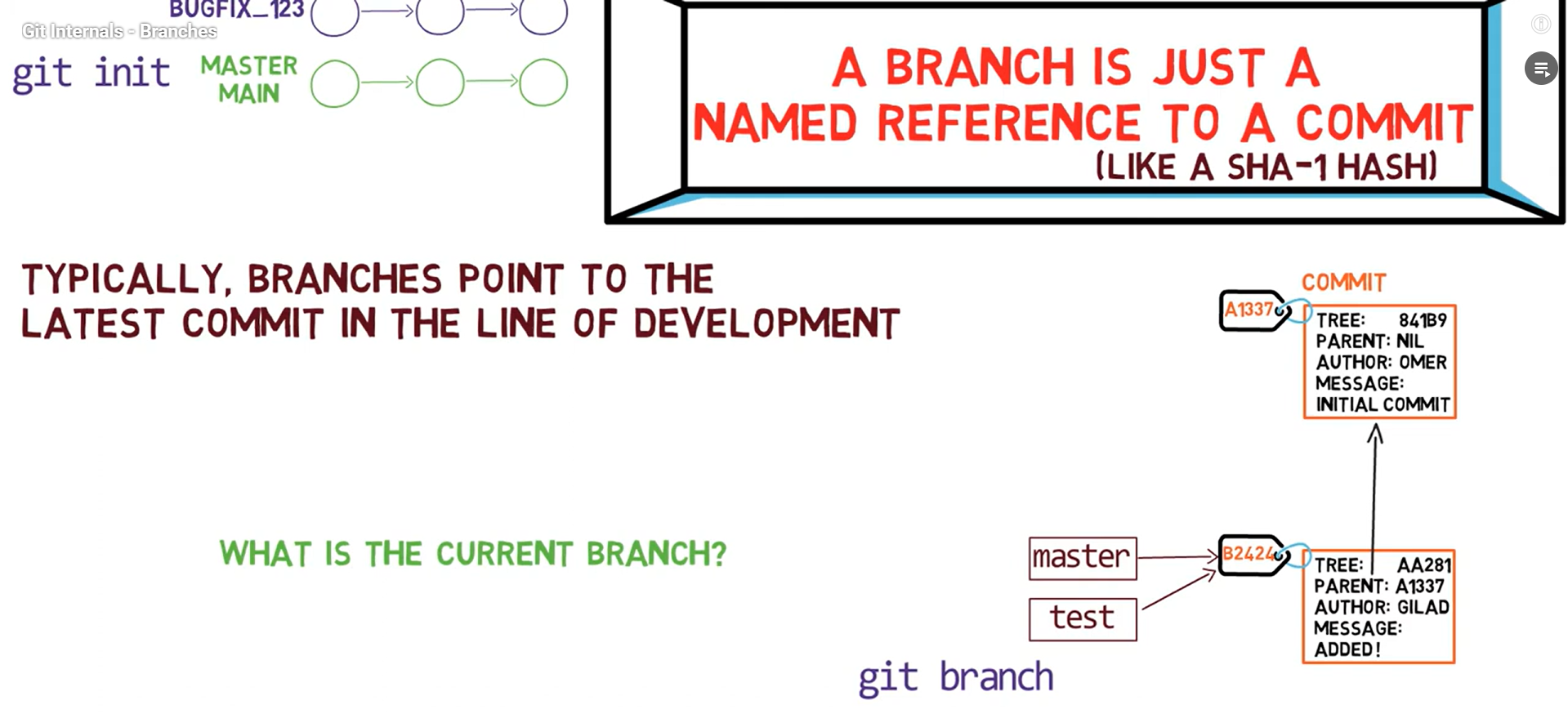
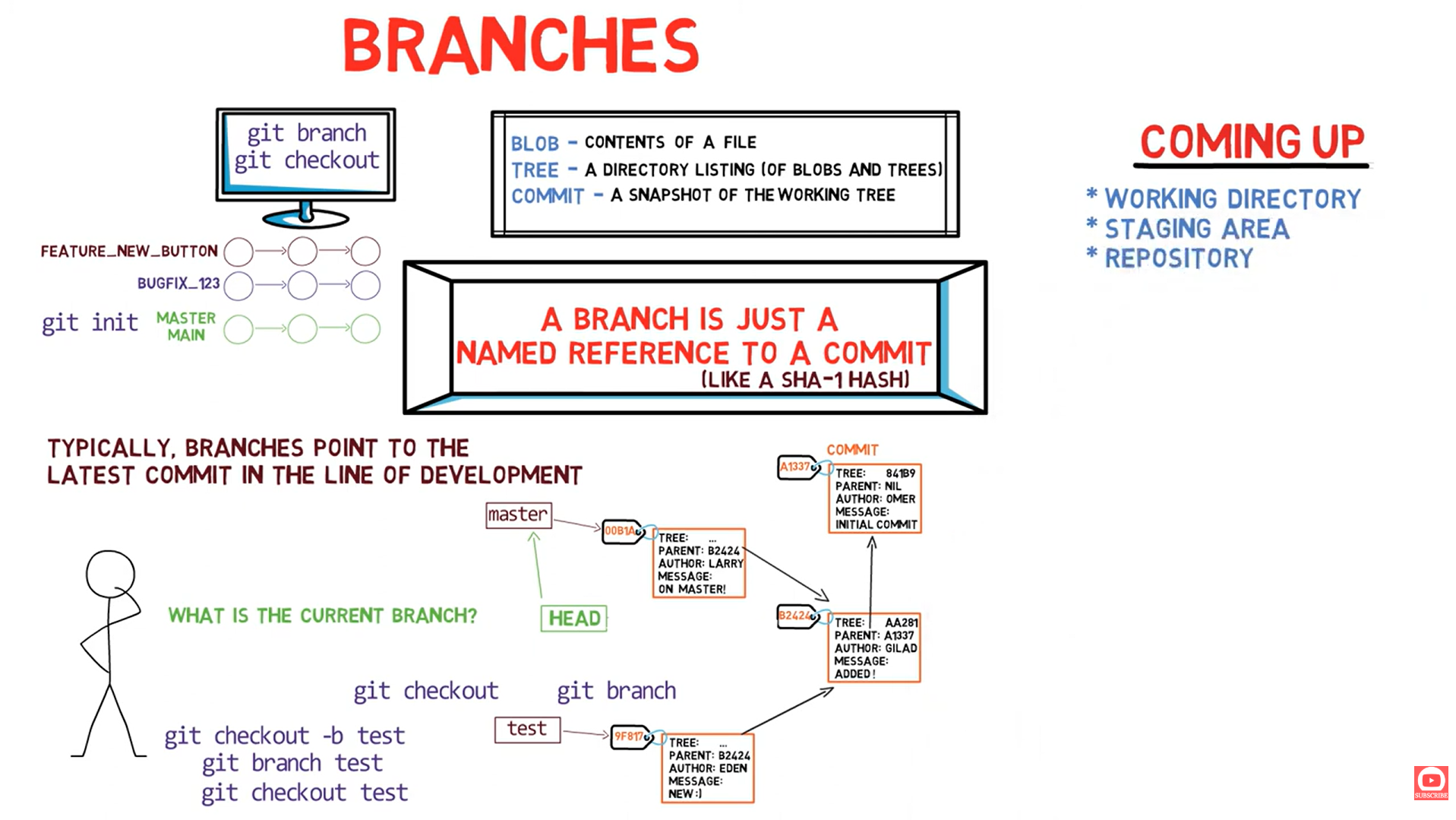
"Under the hood, a branch is just a named reference to a commit"
The Reality
❌ What Branches Are NOT
- Separate copies of code
- Folders or directories
- Complex data structures
- Heavy objects to create
✅ What Branches ARE
- A simple text file
- Contains a 40-char SHA
- Located in
.git/refs/heads/ - ~41 bytes total!
📁 Branch Storage Location
.git/
├── HEAD                    ← Points to current branch
├── refs/
│   ├── heads/
│   │   ├── main           ← File containing: a1b2c3d4e5f6...
│   │   ├── feature        ← File containing: 9x8y7z6w5v4u...
│   │   └── bugfix         ← File containing: 1a2b3c4d5e6f...
│   └── tags/
│       └── v1.0           ← File containing: deadbeef1234...
Let's Look Inside
# What's in the main branch file?
cat .git/refs/heads/main
# Output: a1b2c3d4e5f6789012345678901234567890abcd

# That's it! Just 40 characters (+ newline)
wc -c .git/refs/heads/main
# Output: 41 .git/refs/heads/main
👆 Understanding HEAD
Definition
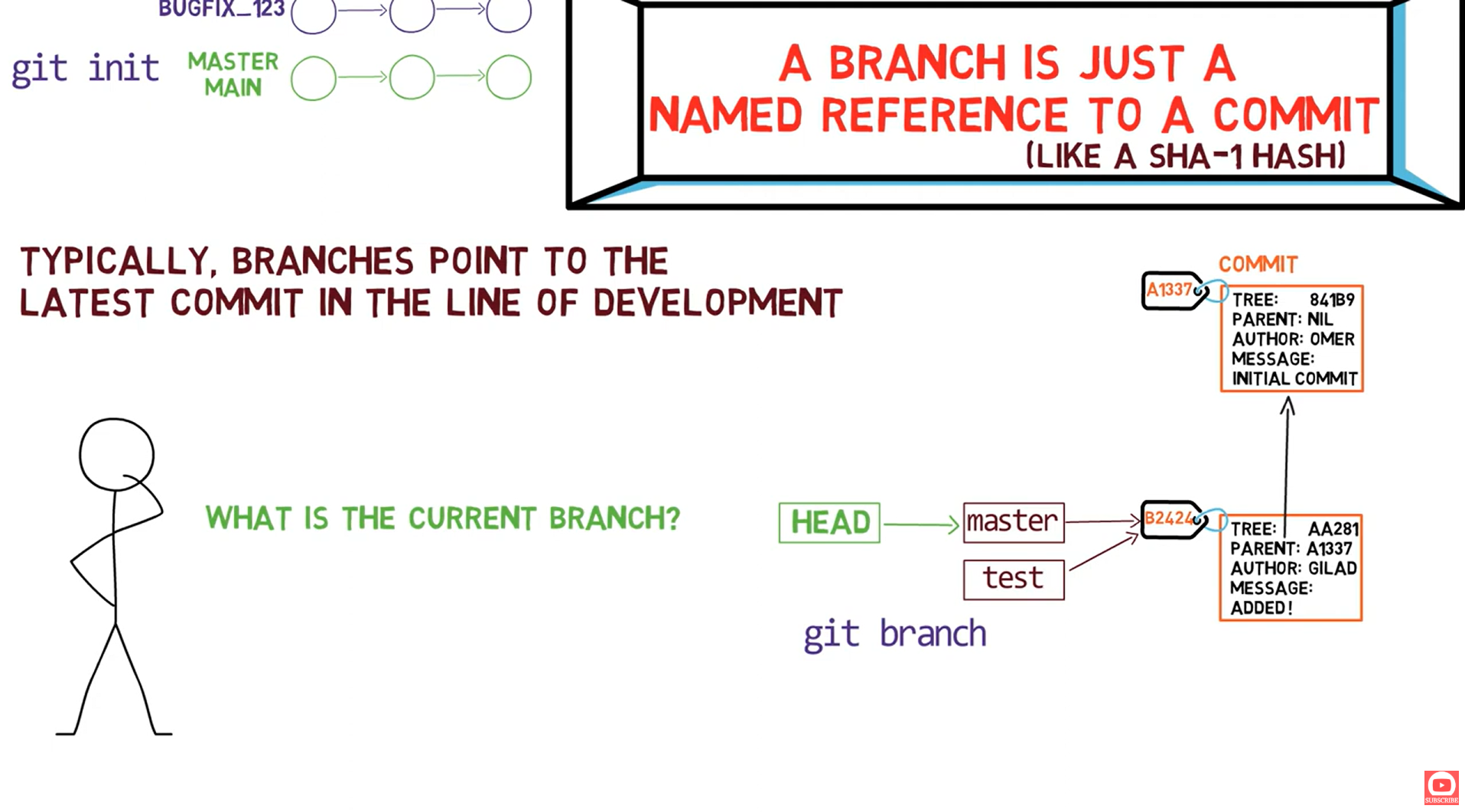
HEAD Points to a Branch
What's Inside HEAD?
# When on a branch:
cat .git/HEAD
# Output: ref: refs/heads/main

# HEAD contains a REFERENCE to a branch, not a commit SHA directly
Detached HEAD State
Sometimes HEAD points directly to a commit (not a branch):
# In detached HEAD state:
cat .git/HEAD
# Output: a1b2c3d4e5f6789012345678901234567890abcd

# Direct SHA instead of branch reference!
🔀 How Branch Operations Work
Creating a Branch: git branch test
What Actually Happens:
# Git creates a new file:
echo "a1b2c3d4e5f6789012345678901234567890abcd" > .git/refs/heads/test

# That's ALL that happens! Just a new file with the same commit SHA
Switching Branches: git checkout test
What Actually Happens:
# Git changes HEAD to point to test:
echo "ref: refs/heads/test" > .git/HEAD

# Plus updates the working directory to match that commit's tree
Making a Commit on a Branch
What Actually Happens:
- Git creates a new commit object
- Git updates the branch file with the new commit SHA:bash
echo "b2c3d4e5f6789012345678901234567890abcdef" > .git/refs/heads/test
Switching Back: git checkout main
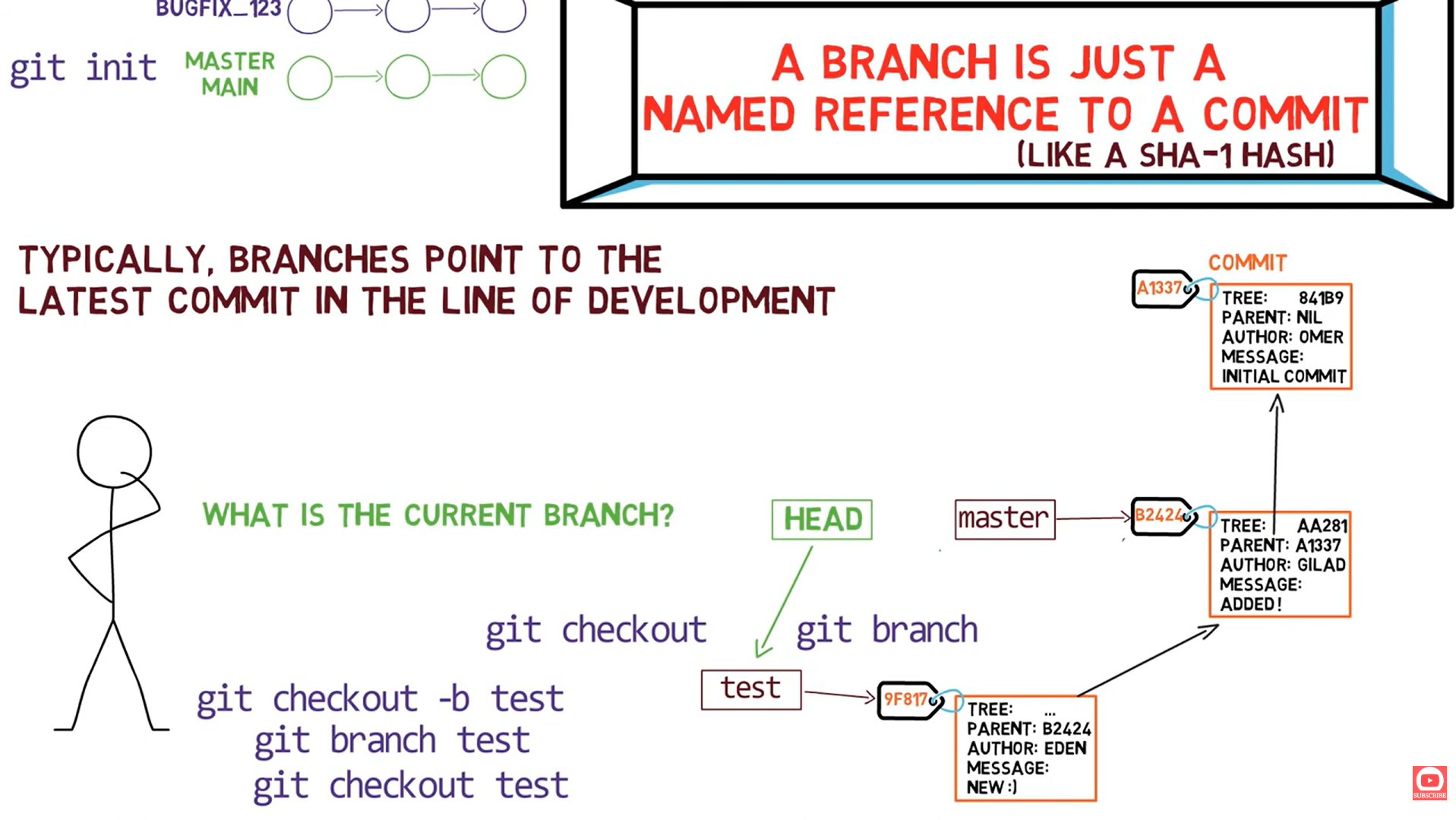
Now main and test point to different commits!
Committing on Main (Divergence)
Now we have diverged branches! Both main and test have commits that the other doesn't.
🧪 Hands-On Lab: Exploring Branches
See Branch as Files
# List all local branches
ls -la .git/refs/heads/

# See contents of main branch
cat .git/refs/heads/main

# Compare with git branch
git branch -v
See HEAD
# What does HEAD contain?
cat .git/HEAD

# If on main branch:
# Output: ref: refs/heads/main
Create Branch Manually
# Get current commit SHA
git rev-parse HEAD
# Output: a1b2c3d4e5f6789012345678901234567890abcd

# Create branch manually (same as git branch manual-branch)
echo "a1b2c3d4e5f6789012345678901234567890abcd" > .git/refs/heads/manual-branch

# Verify it exists
git branch
# Output:
#   main
# * manual-branch
Switch Branch Manually
# Switch to new branch (same as git checkout manual-branch)
echo "ref: refs/heads/manual-branch" > .git/HEAD

# Verify
git branch
# Shows manual-branch with asterisk
📊 Branch Commands vs What Actually Happens
| Command | What It Does Under the Hood |
|---|---|
git branch test | Creates .git/refs/heads/test with current commit SHA |
git checkout test | Writes ref: refs/heads/test to .git/HEAD |
git checkout -b test | Both of the above |
git commit | Creates commit, updates current branch file with new SHA |
git branch -d test | Deletes .git/refs/heads/test file |
git merge test | Creates merge commit, updates current branch file |
🎯 Key Takeaways
🎯 Branches Summary
🧠 Quiz: Test Your Understanding
1. Where is the 'main' branch stored?
📁 .git/refs/heads/main
It's just a text file containing the SHA of the commit it points to.
2. What does HEAD contain when you're on the main branch?
ref: refs/heads/mainIt's a symbolic reference to the branch, not the commit SHA directly.
3. What happens when you create a new branch?
Git creates a new file in .git/refs/heads/ with the current commit's SHA. That's it!
4. Why are branches "cheap" in Git?
Because they're just 41-byte files! Creating a branch doesn't copy any code or create any large data structures.
🚀 What's Next?
🔧 Next: Creating a Repository From Scratch (Lesson 04a)
Now that you understand objects and branches, let's put it all together! We'll create a complete Git repository without using git init, git add, or git commit.
📝 Summary
| Concept | Reality |
|---|---|
| Branch | A file in .git/refs/heads/ containing a commit SHA |
| HEAD | A file (.git/HEAD) pointing to current branch or commit |
| Creating branch | Creating a 41-byte file |
| Switching branch | Updating HEAD file |
| Committing | Creating commit object + updating branch file |