
Subscriptions, Resource Groups & Governance 🏛️
Part of: Manage Azure identities and governance (20–25%)
The Azure Hierarchy (Memorize This!)
| Level | What It Is | Key Point |
|---|---|---|
| Management Group | Container for subscriptions | For enterprise organization |
| Subscription | Billing unit | Credit card / EA attached here |
| Resource Group | Logical container | All resources MUST belong to one |
| Resource | Actual Azure stuff | VMs, Storage, Apps, etc. |
The Four Core Concepts
1️⃣ Azure Account
- A user identity (person OR application)
- Basis of authentication
- Can be invited to multiple tenants
2️⃣ Tenant
- Represents your organization/company
- A dedicated instance of Microsoft Entra ID
- Has a domain:
yourcompany.comoryourcompany.onmicrosoft.com - Every account belongs to at least one tenant
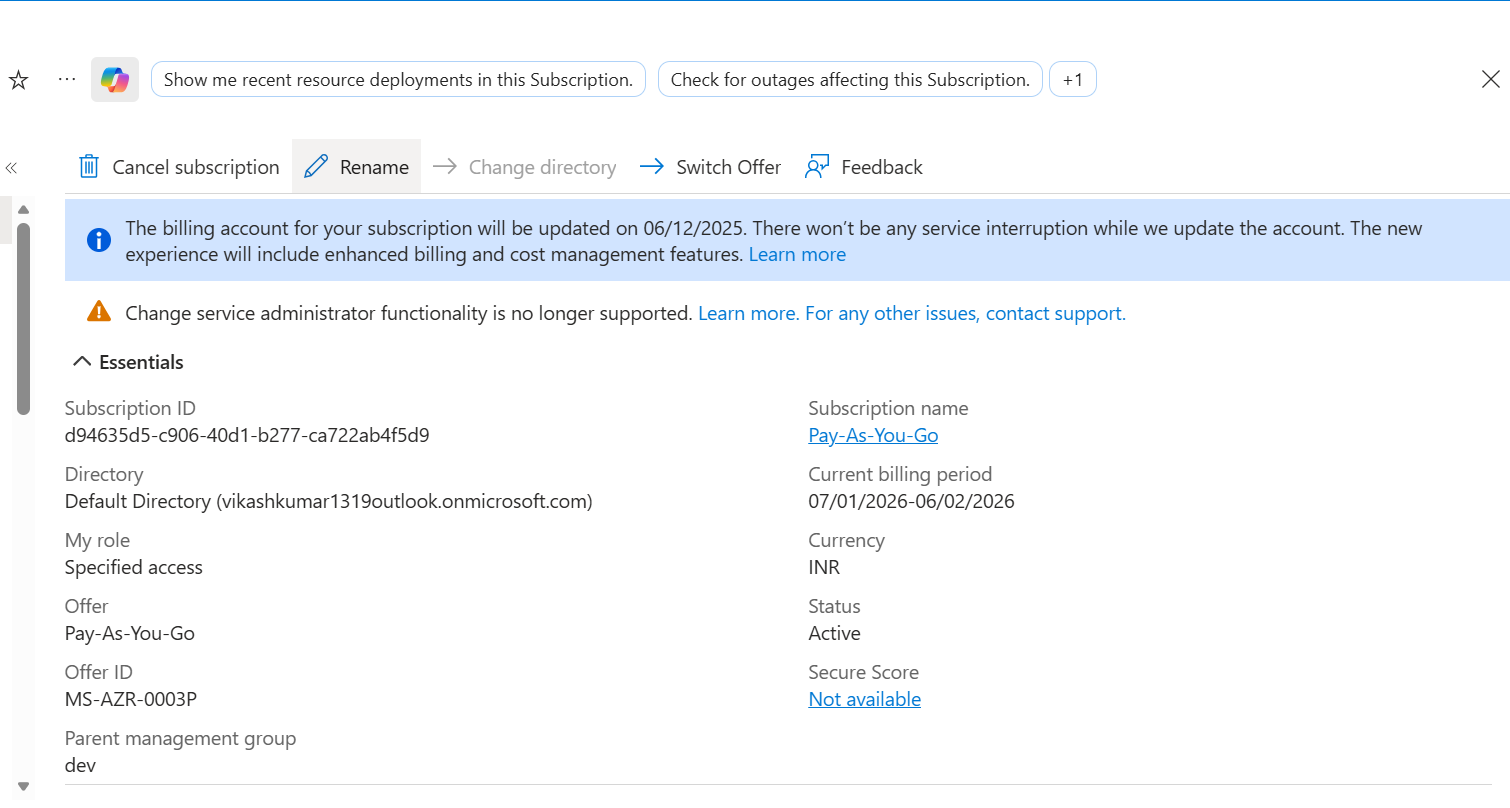
3️⃣ Subscription
- The billing agreement with Microsoft
- Types: Free, Pay-as-you-go, Enterprise Agreement, Sponsorship
- One subscription → One tenant only
- One tenant → Multiple subscriptions ✅
4️⃣ Resource Group
- Folder-like container for resources
- Every resource belongs to exactly one resource group
- Delete the RG = Delete everything inside
- Great for permissions & lifecycle management
Subscription Management
Where to Find It
Portal → Subscriptions (or search "subscriptions")
What You Can Do
| Task | Location |
|---|---|
| View spending | Cost Management → Cost analysis |
| Set budgets | Cost Management → Budgets |
| View invoices | Billing → Invoices |
| Check quotas | Settings → Usage + quotas |
| Change tenant | Overview → Change directory |
| RBAC | Access control (IAM) |
Subscription Types
┌────────────────────────────────────────────────────┐
│  Free Trial      → $200 credit for 30 days        │
│  Pay-as-you-go   → Credit card billing            │
│  Enterprise      → Negotiated contract            │
│  Sponsorship     → Microsoft programs (MVP, etc.) │
│  Dev/Test        → Discounted for non-production  │
└────────────────────────────────────────────────────┘
Cost Management 💰
Cost Analysis
Shows where your money goes:
- By resource
- By region (prices vary!)
- By resource group
- By tag
💡 Exam Tip: Different regions have different prices. Japan/Brazil cost more than US East.
Budgets
Set spending limits with alerts:
Budget Alert Types:
| Type | When It Fires |
|---|---|
| Actual | When you've actually spent X% |
| Forecasted | When you're projected to spend X% |
Cost Anomaly Alerts
Azure detects unusual spending patterns:
- New charges that weren't there yesterday
- Stopped charges
- Significant increases/decreases
Advisor Recommendations
Azure Advisor → Cost suggests savings:
- Unused reserved instances
- Idle VMs (low CPU constantly)
- Oversized resources
Resource Locks 🔒
Prevent accidental deletion or modification.
Lock Types
| Lock Type | Can Modify? | Can Delete? |
|---|---|---|
| ReadOnly | ❌ No | ❌ No |
| Delete | ✅ Yes | ❌ No |
Lock Scopes
Locks can be applied at:
- Subscription level → Affects all RGs and resources
- Resource Group level → Affects all resources in RG
- Resource level → Affects only that resource
⚠️ Locks are cumulative! A resource can have both RG-level and resource-level locks.
Creating Locks
Resource/RG/Subscription → Search "locks" → AddPro tip: Restrict who can delete locks for true protection.
Azure Policy 📜
Enforce rules across your Azure environment.
What Policy Does
Policy Effects
| Effect | What Happens |
|---|---|
| Deny | Block resource creation |
| Audit | Allow but flag as non-compliant |
| Append | Add settings to resource |
| DeployIfNotExists | Deploy remediation |
| Disabled | Policy not enforced |
Common Built-in Policies
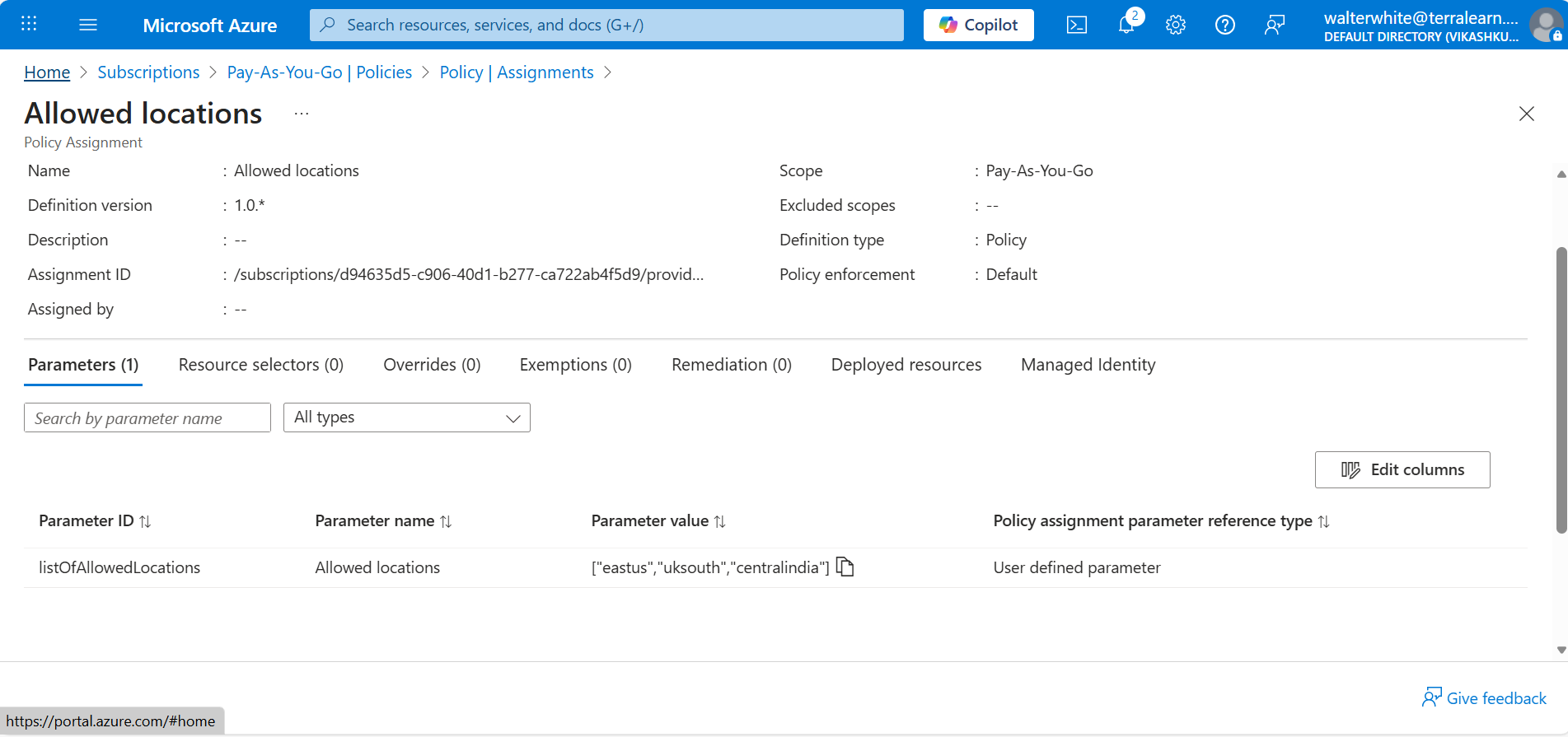
- Allowed locations (restrict regions)
- Allowed VM SKUs (restrict sizes)
- Require tags on resources
- Inherit tags from resource group
- Require HTTPS on storage accounts
Policy Assignment Scope
Management Group → Subscription → Resource Group → Resource
       ↓                ↓              ↓
   Inherited        Inherited      Direct
🔬 Lab: Create Location Restriction Policy
Scenario: Only allow resources in US regions.
- Go to: Policy → Definitions → "Allowed locations"
- Assign to: Resource Group (e.g.,
az104demo) - Parameters: Select
eastus,westus,centralus - Test: Try creating a VNet in Japan → ❌ Denied
Validation failed.
Disallowed by policy: Please speak to Scott if you require these regions.
Creating Custom Policies
When built-in isn't enough, write your own JSON:
{
  "if": {
    "allOf": [
      {
        "field": "type",
        "equals": "Microsoft.Storage/storageAccounts"
      },
      {
        "field": "Microsoft.Storage/storageAccounts/supportsHttpsTrafficOnly",
        "notEquals": true
      }
    ]
  },
  "then": {
    "effect": "[parameters('effectType')]"
  }
}
Steps:
- Policy → Definitions → + Policy definition
- Paste JSON or clone existing
- Assign to scope
- Choose effect (Deny/Audit)
Resource Tags 🏷️
Metadata key-value pairs attached to resources.
Common Tag Patterns
| Tag Name | Example Value | Purpose |
|---|---|---|
| Environment | dev, staging, prod | Identify lifecycle |
| CostCenter | 12345 | Internal billing |
| Owner | john@company.com | Accountability |
| Project | ProjectX | Grouping |
| Department | Engineering | Organization |
Where to Add Tags
- During resource creation (Tags tab)
- After creation: Resource → Tags
- Via Policy (auto-apply)
Tags + Cost Management
Filter cost reports by tag:
Cost Analysis → Add filter → Tag → Environment:prodSee only production costs!
Tags + Policy
Require tags via policy:
- "Require a tag on resources"
- "Inherit a tag from resource group"
- "Add or replace tag on resources"
Moving Resources 🚚
Move Options
| Move Type | What Changes |
|---|---|
| To another Resource Group | Organization only |
| To another Subscription | Billing changes |
| To another Region | Physical location |
How to Move
Select resources → ... (three dots) → Move → Choose destination⚠️ Not Everything Can Move
| Can Move | Cannot Move (easily) |
|---|---|
| VMs | App Services |
| Virtual Networks | Function Apps |
| NICs | Some PaaS services |
| IP Addresses | - |
| NSGs | - |
Disk special case: Disks are COPIED, not moved (data is recreated).
Check the docs: Move operation support for resources
Management Groups 🗂️
For enterprises with multiple subscriptions.
Why Use Management Groups?
- Apply policies across multiple subscriptions
- Organize by department, environment, geography
- Simplify RBAC at scale
Creating Management Groups
Search "Management groups" → + Add → Name it → SubmitThen add subscriptions as children.
PowerShell / CLI Examples 💻
Create Resource Group
New-AzResourceGroup -Name "Staging_VMs" -Location "centralus"Assign Policy via PowerShell
# Get the resource group
$rg = Get-AzResourceGroup -Name "Staging_VMs"

# Get the policy definition
$definition = Get-AzPolicyDefinition -Id "/providers/Microsoft.Authorization/policyDefinitions/xxxxx"

# Assign it
New-AzPolicyAssignment `
    -Name "RGLocationMatch" `
    -DisplayName "Resource group matches resource location" `
    -Scope $rg.ResourceId `
    -PolicyDefinition $definition
💡 Pro tip: Scripts in source control > Portal clicks. Automation is the way.
Quick Reference for AZ-104 📋
Hierarchy Order
Management Group → Subscription → Resource Group → ResourceSubscription Facts
- One sub = One tenant
- One tenant = Many subs
- Sub = Billing boundary
Lock Precedence
ReadOnly > Delete > None
Subscription > RG > Resource (cumulative)
Policy Effects
Deny = Block creation
Audit = Allow but flag
Append = Add config
DeployIfNotExists = Auto-fix
Moving Resources
Not all resources can move!
Disks = Copied, not moved
Check docs for each resource type
Tags
Cost filtering ✅
Policy enforcement ✅
Doesn't affect resource behavior ✅
Exam Gotchas 🎯
- Subscription ≠ Tenant - Sub is billing, tenant is identity
- Resource Groups span regions - RG is logical, not physical
- Locks don't prevent RBAC changes - Only resource modifications
- Policy Deny ≠ RBAC Deny - Both work differently
- Tags are NOT inherited by default (need policy for that)
- Management Groups - Max 6 levels of depth
Source: Scott Duffy's AZ-104 Course