
Azure Storage - Complete Guide



Source: Azure Master Class v3 - Part 5 - Storage by John Savill
Module Overview
📺 Video Reference: 00:00:00
This module focuses on the Azure Storage Account—a fundamental building block that many other Azure services are built upon.
Storage Considerations
📺 Video Reference: 00:00:31
🧠 Quick Self-Check: What Do You Already Know?
Before diving in, try to answer these:
- What's the difference between ephemeral and durable storage?
- Name the three types of data structures (unstructured, structured, semi-structured)
- What's the typical latency requirement for hot storage?
Keep these in mind as you read!
When thinking about storage in Azure, we must consider several key factors:
| Consideration | Description |
|---|---|
| Durability | The ability to preserve data over time |
| Latency | How long an operation takes |
| Structure | How data is organized |
Understanding Latency
Latency is a function of TWO things:
| Storage Type | Seek Time | Notes |
|---|---|---|
| HDD | Yes | Head must physically move to the right spot |
| SSD | No | No mechanical parts, but still has operation time |
Ephemeral vs Durable Storage
📺 Video Reference: 00:01:21
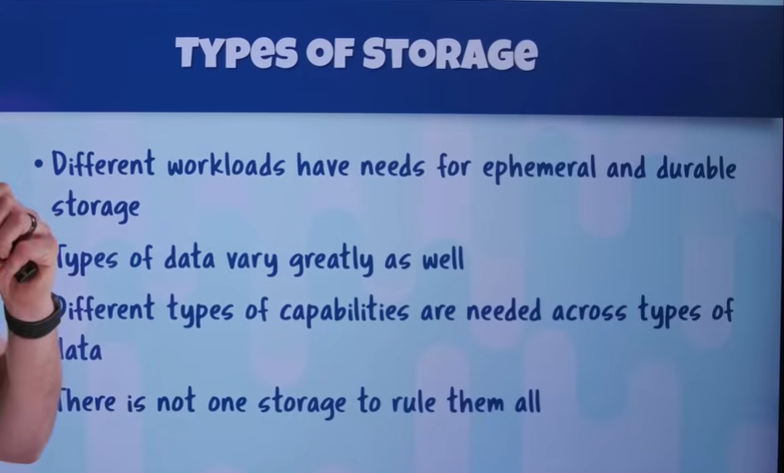
Different workloads need different types of storage persistence:
| Type | Characteristics | Use Cases |
|---|---|---|
| Ephemeral | Temporary, volatile, lost on power loss | Caching, page files, temp data |
| Durable | Persistent, survives failures, long-term | Application data, databases, backups |
💡 EXAM TIP
Remember: Ephemeral = Evanescent (disappears). Azure temp disks are ephemeral and NOT suitable for critical data!
Types of Data
📺 Video Reference: 00:02:05
Applications deal with fundamentally different types of data, each with unique storage needs:
1. Unstructured Data
📺 Video Reference: 00:02:15
- No predefined format
- Examples: images, videos, binaries, media files
- Can store literally anything
2. Structured Data
📺 Video Reference: 00:02:41
- Has a fixed schema that describes:
- Tables
- Columns/attributes
- Data types (text, integer, float, binary, etc.)
Key characteristics:
- Data MUST adhere to the schema (rigid format)
- Common in relational databases
- Data is normalized (efficient storage)
- Foreign keys create relationships between tables
- Allows efficient querying via relationships
3. Semi-Structured Data
📺 Video Reference: 00:03:47
- Self-describing - no external schema needed
- Structure is embedded within the data itself
- Can have mixed structures within the same document
// Example: Self-describing JSON
{
  "user": {
    "name": "John",
    "orders": [
      {"id": 1, "amount": 99.99},
      {"id": 2, "amount": 149.99, "notes": "gift wrap"}
    ]
  }
}| Format | Description |
|---|---|
| JSON | JavaScript Object Notation - widely used |
| XML | Extensible Markup Language - verbose but flexible |
Storage Capabilities Requirements
📺 Video Reference: 00:04:17
Different applications require different storage capabilities:
Indexing
📺 Video Reference: 00:04:21
Critical for large datasets - without indexes, you'd have to scan through ALL data to find records.
| Feature | Purpose |
|---|---|
| Index | Fast lookup of specific records by indexed columns |
| Multiple indexes | Different access patterns for different queries |
Other Capabilities
| Capability | Description | Azure Service |
|---|---|---|
| Snapshots | Point-in-time capture of data | Blob Snapshots, Disk Snapshots |
| Replication | Copy data between regions | GRS, GZRS, ASR |
| APIs | Different interfaces for applications | REST, SDK, CLI |
| Protocols | Block-level vs File-based access | SMB, NFS, iSCSI |
Block vs File Access
📺 Video Reference: 00:05:21
The Key Insight: No Single Best Answer
📺 Video Reference: 00:05:36
There Is No "Best" Storage
Your application will typically use MULTIPLE different types of storage because different parts have different requirements.
Decision factors:
- What is the specific requirement for THIS element?
- Does it need to be fast or cheap?
- Does it need to survive failures?
- How will it be queried?
- What's the access pattern?
Summary: Data Types Quick Reference
| Data Type | Schema | Examples | Azure Service |
|---|---|---|---|
| Unstructured | None | Images, videos, binaries | Blob Storage |
| Structured | Fixed, rigid | SQL databases | Azure SQL, Cosmos (SQL API) |
| Semi-structured | Self-describing | JSON, XML documents | Cosmos DB, Table Storage |
| Storage Need | Ephemeral | Durable |
|---|---|---|
| Caching | ✅ | |
| Page files | ✅ | |
| Application state | ✅ | |
| Databases | ✅ | |
| Backups | ✅ | |
 |
📝 Knowledge Check #1: Data Types
Q1: You have a collection of 10,000 MP4 video files. What data type is this?
Show Answer
Unstructured data - Binary files with no inherent schema. Azure Blob Storage is ideal.
Q2: Your app stores user preferences as JSON documents where some users have 3 fields and others have 20. What type?
Show Answer
Semi-structured data - Self-describing, flexible schema. Perfect for Cosmos DB or Table Storage.
Q3: An application needs 5ms response time for cache data that can be regenerated. Ephemeral or Durable?
Show Answer
Ephemeral - Fast access needed, data is recoverable if lost. Use Azure Cache for Redis or temp disk.
Azure Storage Architecture
📺 Video Reference: 00:06:14
No Traditional SANs or NAS
Azure does NOT use traditional storage infrastructure:
| Traditional Data Center | Azure |
|---|---|
| Storage Area Networks (SANs) | ❌ Not used |
| Network Attached Storage (NAS) | ❌ Not used |
| Fiber connections | ❌ Not used |
Exception: Azure NetApp Files
Azure NetApp Files is the only solution where actual NetApp filers sit inside Azure data centers. Everything else uses Azure's custom architecture.
Storage Stamps (Clusters)
📺 Video Reference: 00:06:46
Azure Storage uses Storage Stamps — clusters of storage servers using software-defined storage.
Key points:
- Multiple racks within a cluster
- Different fault domains for resilience
- Redundant networking and power
- Premium offerings use different storage stamps with different disk types
Everything Builds on Azure Storage
Three-Tier Storage Architecture
📺 Video Reference: 00:07:33
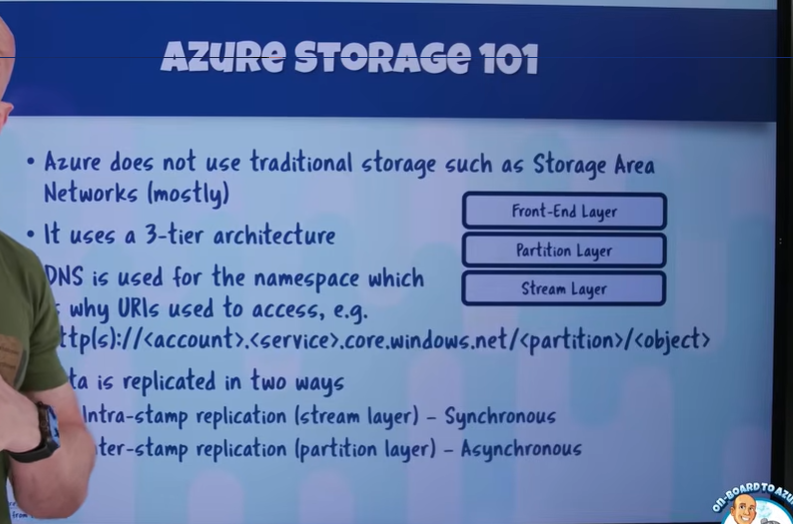
Azure Storage uses a three-tier architecture that provides scale, capabilities, and replication. Built on work done for Bing/Cosmos.
Layer Details
| Layer | Responsibility | Key Characteristics |
|---|---|---|
| Front End | API requests, authentication, routing | Stateless, handles auth |
| Partition | Understands blobs, tables, queues | Scalable namespace, abstractions |
| Stream | Actual data on disk | Distribution, replication, durability |
Architecture Insight
This three-tier design is why Azure Storage scales so well - the Front End is stateless (easily scaled horizontally), while the Partition layer provides logical abstraction, and Stream layer handles physical durability.
Stream Layer Deep Dive
The stream layer handles:
- Distribution of data across servers in the cluster
- Replication to make data durable
- Data organized as ordered list of storage chunks made up of blocks
Storage Account URL Structure (DNS)
📺 Video Reference: 00:09:10
DNS provides the namespace for storage accounts. The URL structure is:
https://<account-name>.<service>.core.windows.net/<partition>/<object>Service Endpoints
| Service | Endpoint Pattern | Secondary Endpoint |
|---|---|---|
| Blob | https://<account>.blob.core.windows.net | ✅ Yes |
| File | https://<account>.file.core.windows.net | ❌ No |
| Queue | https://<account>.queue.core.windows.net | ✅ Yes |
| Table | https://<account>.table.core.windows.net | ✅ Yes |
Always Use HTTPS
Always use TLS 1.2+ encryption (HTTPS) when accessing storage accounts.
Summary (00:00 - 12:16)
| Topic | Key Takeaway |
|---|---|
| Storage Types | Ephemeral (temporary) vs Durable (persistent) |
| Data Types | Unstructured, Structured, Semi-structured |
| Azure Architecture | Software-defined storage stamps, no traditional SANs |
| Three-Tier | Front End → Partition → Stream layers |
| URL Structure | https://<account>.<service>.core.windows.net |
Next Section
Continue to: 02-storage-services.md for storage account types, redundancy options, and services (Blob, Files, Tables, Queues).